Boat manifest
-explanation how we do it now-
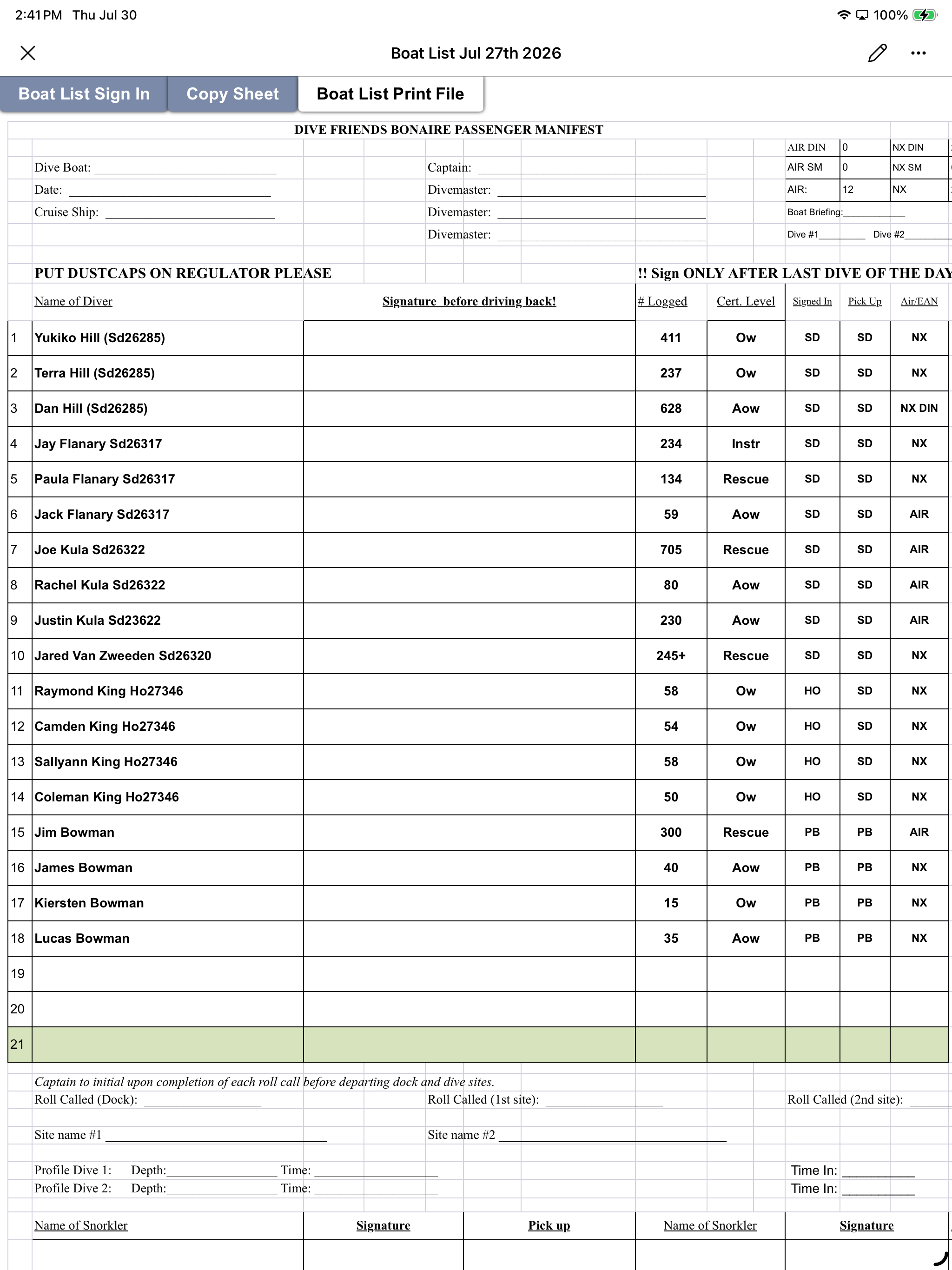
Staff fills in the boat list, we have to print the manifest and after the dive the divers sign the dive manifest, then we have to scan this manifest and save this in teams. And then we throw the manifest in the trash
- to make this go easier, the list can be printed/used on a tablet or phone and automatically saved by the day, ideally in combination with the boat log.
In the picture you can see what we have now for the manifest.
What we need to know after the boat activity is.
: which crew was on board+ their role (captain/guide - Captain - Guide)
: Dive site name(s)
: Dive profile(s)
: Diver names and if they were there or a No-show/cancelation
Log in to comment and vote
Comments5
David Aidekman
Oct 23
Part of this is now live: dive logs. After the dive, the guide records each dive (site, max depth, minutes, visibility, what was seen). Each diver then reviews the log from their trip page, adds their own depth and time, and signs it off on their phone instead of on paper. Turn it on per activity in Catalog → Activities ("Dive log after the activity").
David Aidekman
Oct 23
Hi Ilse, the two missing pieces from your manifest are now live.
Dive profiles. After the dive, the guide fills in a dive log: for each dive, the site, max depth, minutes, visibility, what they saw and notes.
Divers sign after the dive. When the guide submits the log, each diver gets an email link. They open the log on their trip page and sign it there, on their phone or on a tablet at the shop, instead of on paper.
Turn it on with the dive log switch on each activity.
Is this what you meant?
David Aidekman
Oct 11
Hi Ilse,
Thanks for walking us through how the paper manifest works today. Much of it is now in Fathom Bay.
From your list of what you need to know after a boat activity:
Not built yet: dive profiles, and divers signing the manifest on a tablet. If you can tell us how you record dive profiles today (per diver? per dive? from computers?), that will help us build the right thing.
Is this what you meant, and what's still missing compared with your paper sheet?
Dave
David Aidekman
Sep 28
Following up: is the signature on the boat manifest from each diver, or from staff signing off the dive? Once we know, we can plan it.
David Aidekman
Aug 13
@Ilse de Loyer To be sure I understand — is the diver signature or staff signature the essential action here? Or is it a list confirming attendees, crew, and dive site details that the staff can confirm?
I am trying to understand if the goal here is to collect signatures digitally. We already have digital signatures for forms and waivers, so we can add that capability here. But I am not sure if that is the goal.