Signature Documents for Waivers need checkboxes or yes/no answers
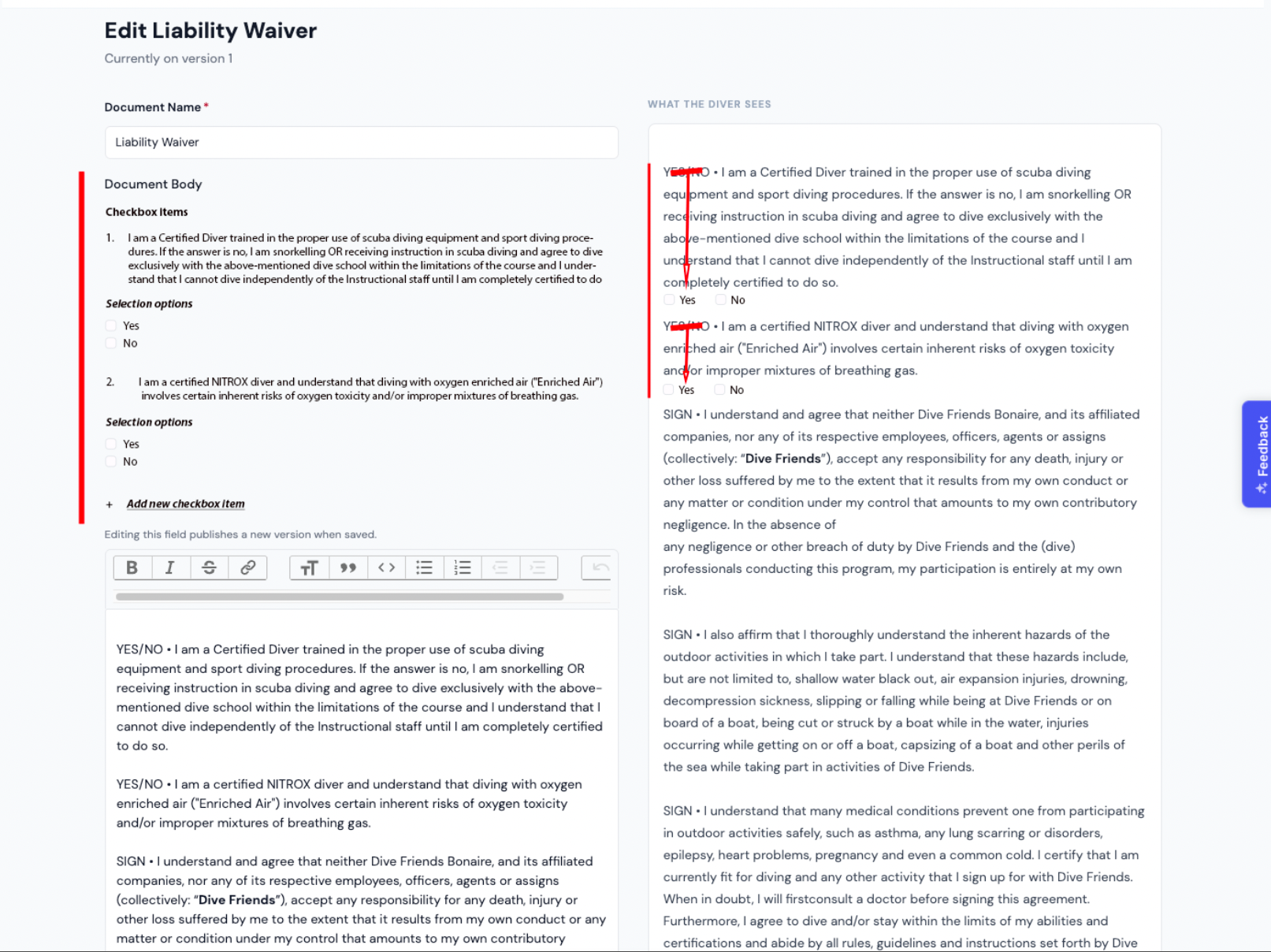
See the contents of the Liability Waiver.
It is ideal that we can input our own text here and have a signature at the bottom confirm that everything is read and agreed on. This is great.
While filling in this info i am running into one issue.
See the first two questions/statements. These are not statements you can sign to agree, but need to enter a YES or NO answer. I was thinking what is the best way to implement this into the waiver. Maybe you can add the option to add checkboxes at the beginning section of the waiver. I have made a quick mockup of what it can look like to give you an idea. See my edits on the right side of the red line you can see in the screenshot below.
I will save the waiver as is, so you or your assistant can dig into it and understand the content of this waiver as well.
Thanks
Log in to comment and vote
Comments2
David Aidekman
Aug 15
@Jeroen Scheper This capability partially exists if the document is uploaded. The “Signature Document” section can support checkboxes and signatures on top of a PDF upload. But I know that isn’t exactly the same as this proposal. We’re working on a solution to add this capability also.
Jeroen Scheper
Aug 12
I assumed it registers what page the feedback is for. But this one relates to the Waiver