Guest: Adjusting activities/itinerary after confirming
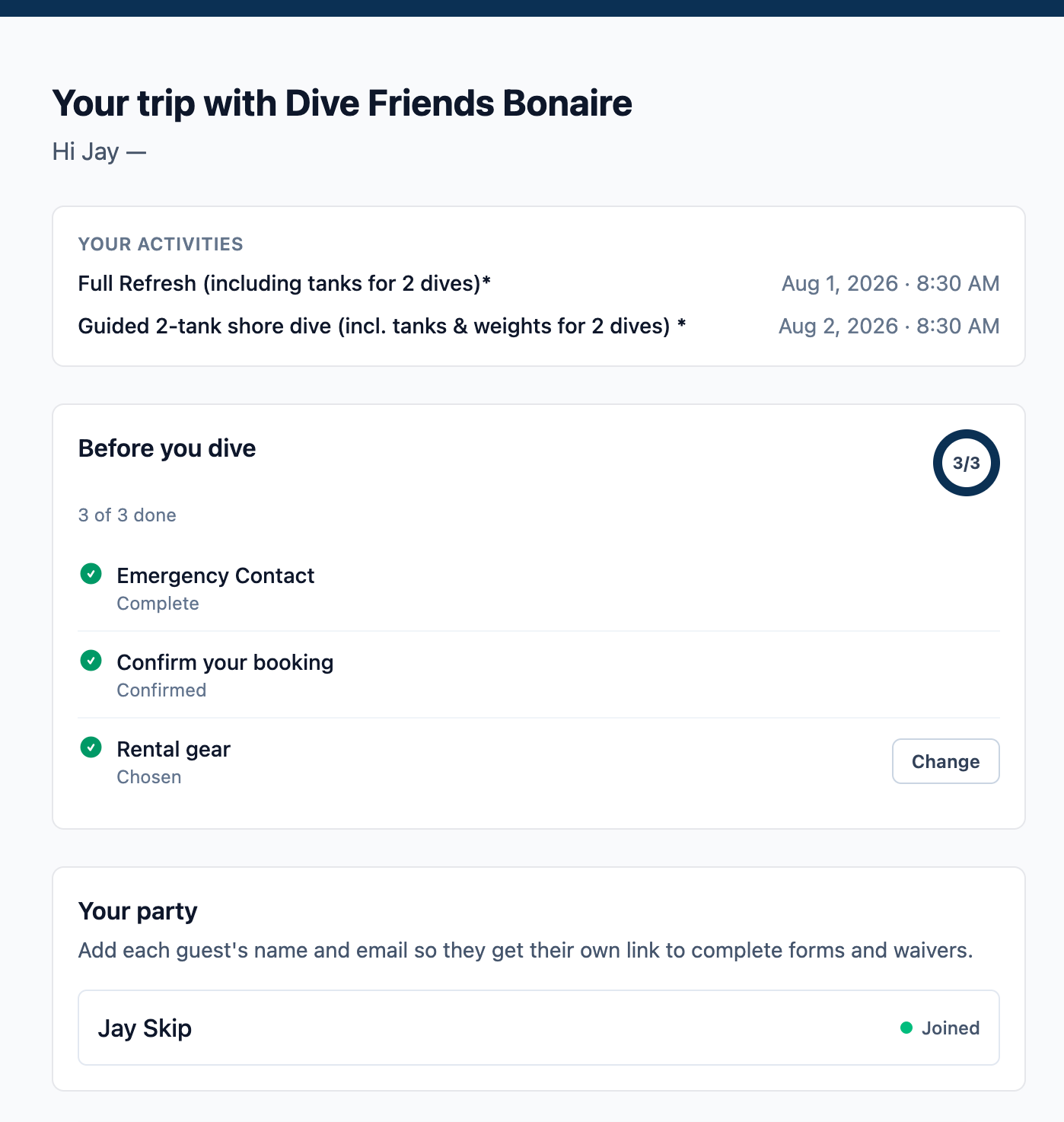
From guest perspective;
I have confirmed my booking, but i want to adjust something (that is not rental gear), like moving the guided dive to the next date. Or i want to get in touch with someone from reservations because i still have a question.
For contact:
Is it an idea to add a section below where guests can send a email/message to the reservations department? Technically i could reply to the email, but the email has sent me to a web page to confirm my booking. So im a bit confused as to whether i need to reply to the email or how to get in touch with the company… Is it possible to add a contact section? Or maybe its simpeler to add a line that says; ‘additional questions, requests or changes? Reply to the email you have received’.
Personally i find it a bit confusing because i can adjust the gear, but i cannot adjust anything else.
For adjustments:
In the ideal scenario, when everything is bookable through the website, etc… it would be possible for customers to change their activity and it already shows availability, and automatically changes the schedule when a customer decides on the change. So for example;
Customer wants to change his guided dive from august 2nd to august 3rd. Fathombay shows availability for august 3rd and automatically adjusts the booking and availability for both days. If they need to pay something extra, they get a additional payment link, if they have a credit amount, they get a message that they have a credit to spend in store?
Log in to comment and vote
Comments1
David Aidekman
Oct 11
Hi Jeroen,
Guests can now do both of the things you described from their trip page, before or after they confirm:
One difference from your ideal version: the move isn't automatic. Staff still confirm it, and any price difference is handled by hand for now.
Is this what you meant?
Dave