Participant Invitation Edit & Preview
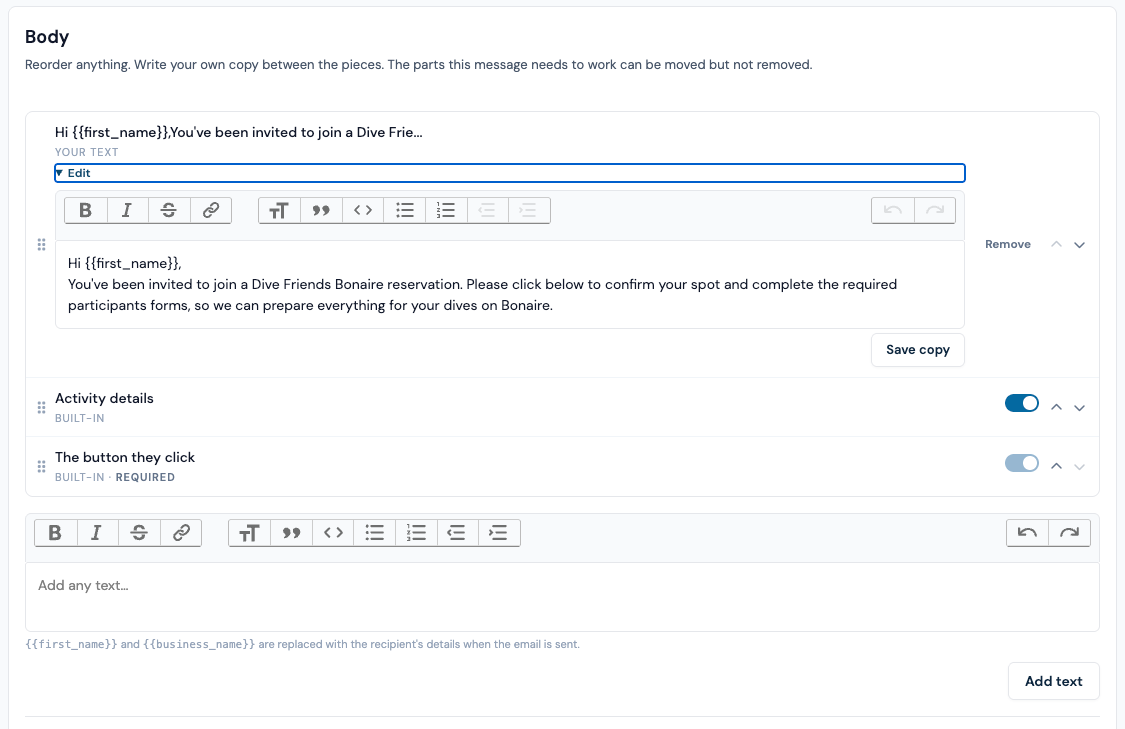
The participants invitation email 'preview' does not reflect the information that is displayed/input in the 'edit' view of for this email.
Or do guests first claim a spot, and then get an additional email or screen where they fill in this mandatory information? This is not clear to me.
Also for this email we should try to get the same information as we do for the head booker.
The goal of this email is, in the scenario that the header booker opts for everyone to fill in their own information, collect all mandatory information from the invited guest and have these added to their profile (or automatically make a new profile + add information) / our CRM system.
information like but not exclusively;
- First name (?)
- Last name (?)
- Emergency contact
- etc
Mail can look something like;
- Hi First Name (or dear guest if we do not have their name yet?), etc
- Booking details theyve been invited to
- First name (?)
- Last name (?)
- Emergency contact
- Forms(?)
- Date of birth
- Etc, etc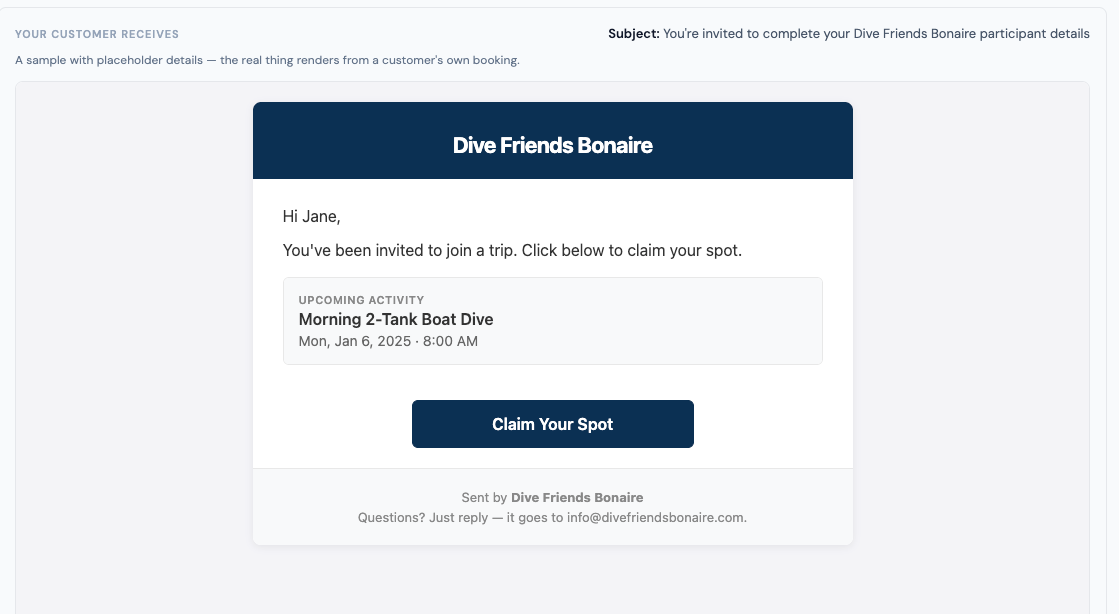
-
As i write this i see a different challenge here:
If the headbooker handles all paperwork, emergency contacts, etc. How do the additional guests of the party fill in the medical information and liability waivers digitally?
One option is to keep the option to do this physically in the shop possible.
We should at least let them submit the guest first name, last name, and email so that we can make a profile for them?
We need to think about this one separately.
Log in to comment and vote
Comments3
David Aidekman
Aug 31
@Jeroen Scheper There are a few moving parts here, so tell me if this needs clarification or if the UI is deficient.
The “Customer Experience” section has multiple parts.
The “Messages” are the automated emails that go to customers.
The “Trip Hub” is where customers land when they click on a link in the emails. This is where you configure the experience that they have — the information they need to fill in, the order that they see it, etc.
The “Document Requirements” define the forms, waivers, and everything else that needs to be submitted. The “Trip Hub” configures how the document requirements are presented to customers.
By the way, the new “Domain” section configures for all of this to show for customers on your website instead of fathombay.com. Set your custom domain and the Trip Hub is on your site.
Jeroen Scheper
Sep 1
@David Aidekman, this makes sense. The flow was not clear to me, that could be improved (for new users atleast..).
So head booker + co-bookers get the “message”, upon clicking the button they are referred to the Trip Hub, where they fill in the mandatory information and forms, correct?
Jeroen Scheper
Sep 1
When a co-booker fills in this information - does it automatically create a CRM profile for this customer? Or add on to their possibly existing account if they are also a return customer? We need to think through how this will work in the most user friendly way. We can decide that its mandatory to make a new account or log in to an existing one when filling in this information, this can automatically connect to their CRM profile for proper reservation and paperwork collection. For the new generation i do not see a problem here, for older generations this will be a challenge. Possibly integrate google log-in, etc.
Head bookers should automatically get a profile made when a reservation is made for them through the “+ new reservation” button. When the head booker is a returning customer their existing profile will be selected upon making the reservation.
-
Also, for future reference
In the future when a customer does a independent online booking, they will need to log in to their profile with us through regular email + passw combination, their booking and booking details should they automatically be added to their profile.