Staff Communications
How do I know when these WhatsApp or emails are getting sent? Do they send immediately or can I set the time they send?
I think it would be good on this page to have the shop set a default time messages get sent. For example, staff messages all send at 7pm nightly (or whatever time I chose). Then, if any any changes / edits / additions occur AFTER 7pm, we get an option to resend an update or push out the notification to whoever is affected by the update.
Log in to comment and vote
Comments3
David Aidekman
Oct 2
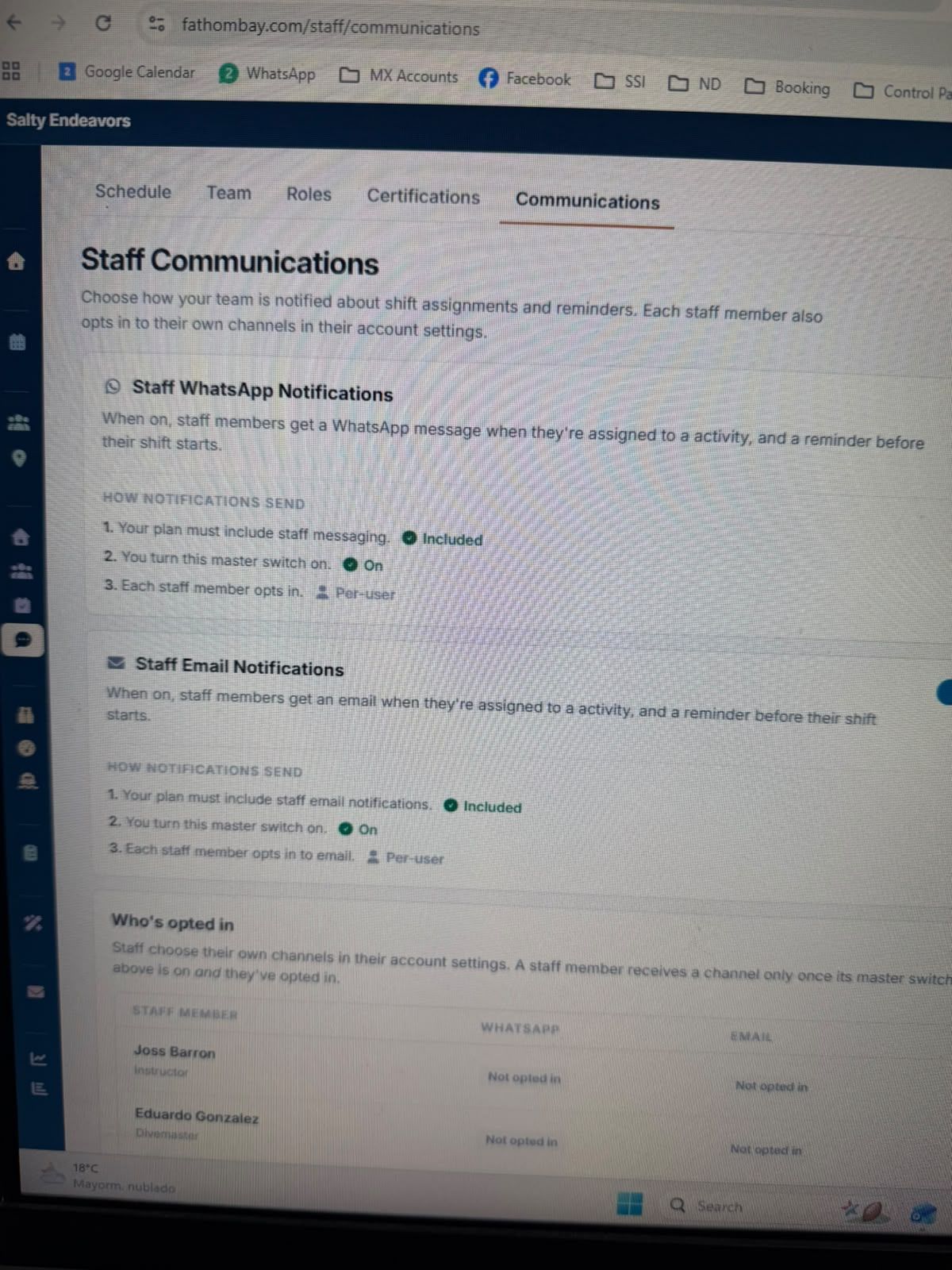
This is live. In Staff → Communications:
If anything changes after the daily send, press Send again for that day. Everyone assigned gets the updated plan, so there's nothing to reconcile. Updates are not sent automatically on each calendar change.
David Aidekman
Sep 10
@Henry Schultz I think this needs a lot of improvement, so treat this as a baseline current version but please provide more feedback.
Right now, the “announce” function is in the calendar.
When you click on it, it opens a schedule of upcoming days and a “send” button to send the messages. It sends one message per day to the staff member on WhatsApp or Email depending on how they opted in, approximately 24 hours before their activity.
That means if you “Send for 3 days” it will send one message for those 3 days worth of assigned activities. If you select to “Send for 2 days” then it is one message with those 2 days. It tracks which days have been delivered, so if you send for Sep 10, then the next time you click it will not have the option for sending Sep 10 again.
Henry Schultz
Sep 10
Okay, understand. And yeah as its setup isn’t going to work for our needs.
Traditionally, we send out a team notice near 7pm nightly of the plan for the following day. If there are no changes it done and ready for tomorrow. However, it would be common for us to take new reservation for tomorrow well into the evening 9-10pm, or again maybe a 9am reservation for the 1:30pm boat.
Point is we need the option to send the message each day, and potentially multiple times in the same day.
There is no way I could send a schedule on Thursday intended for Saturday, and then not need to update it a dozen times before we get to Saturday 8am.
Also, is there somewhere to setup the data that we actually send to each staff member? Might be good for the shop to be able to define what gets sent to a given staff member, or a current “role” on the staff.
Let me know how I can assist with putting this together.