Staff Roles
Okay if I have this correct, I have staff roles for the same position located in two locations on the calendar.
In the custom section, can we / how can we delete a custom role? In this case, “Marinero”. I would like remove that as an option so it does not display on my calendar at all. I created it by mistake.
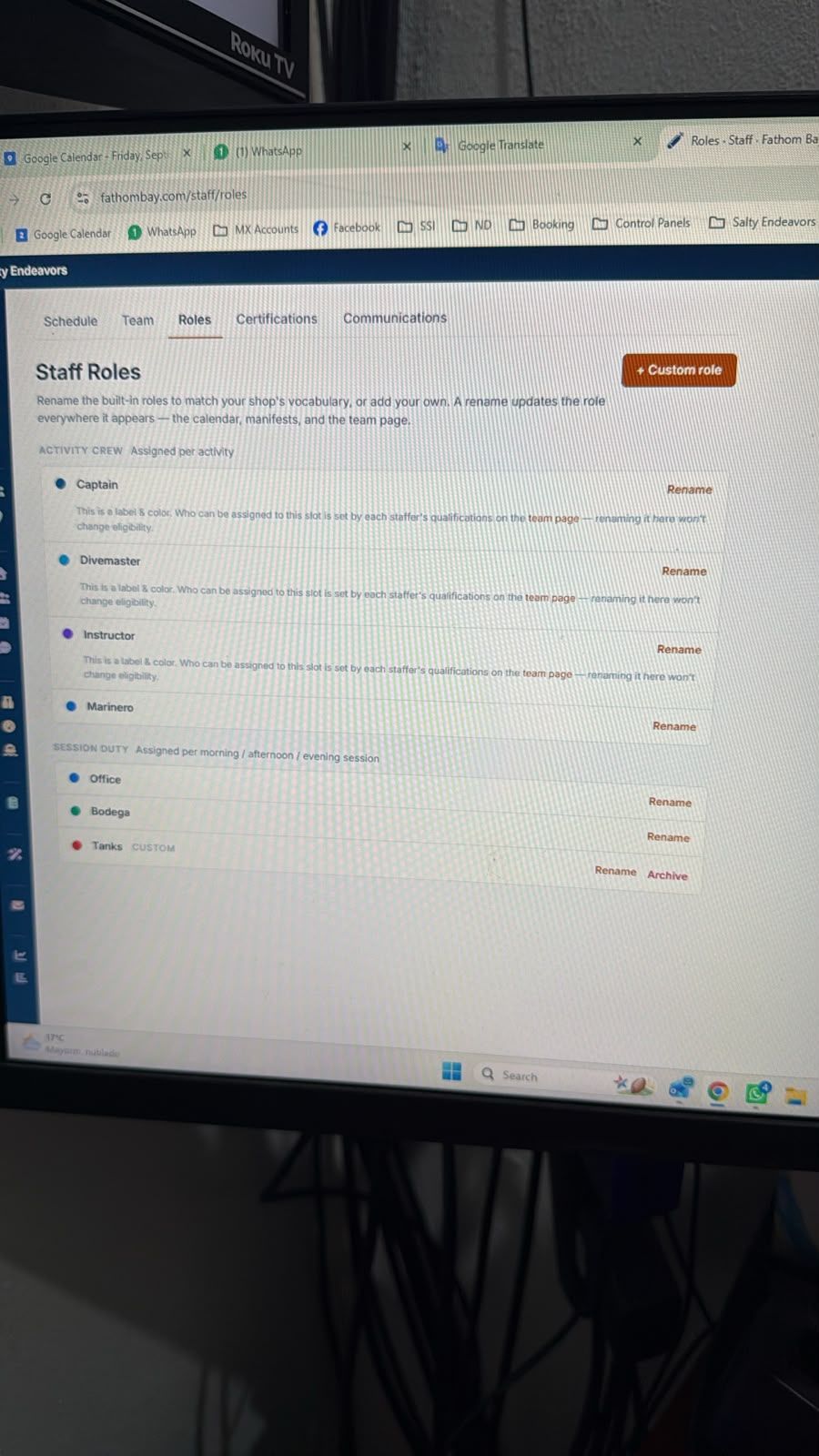
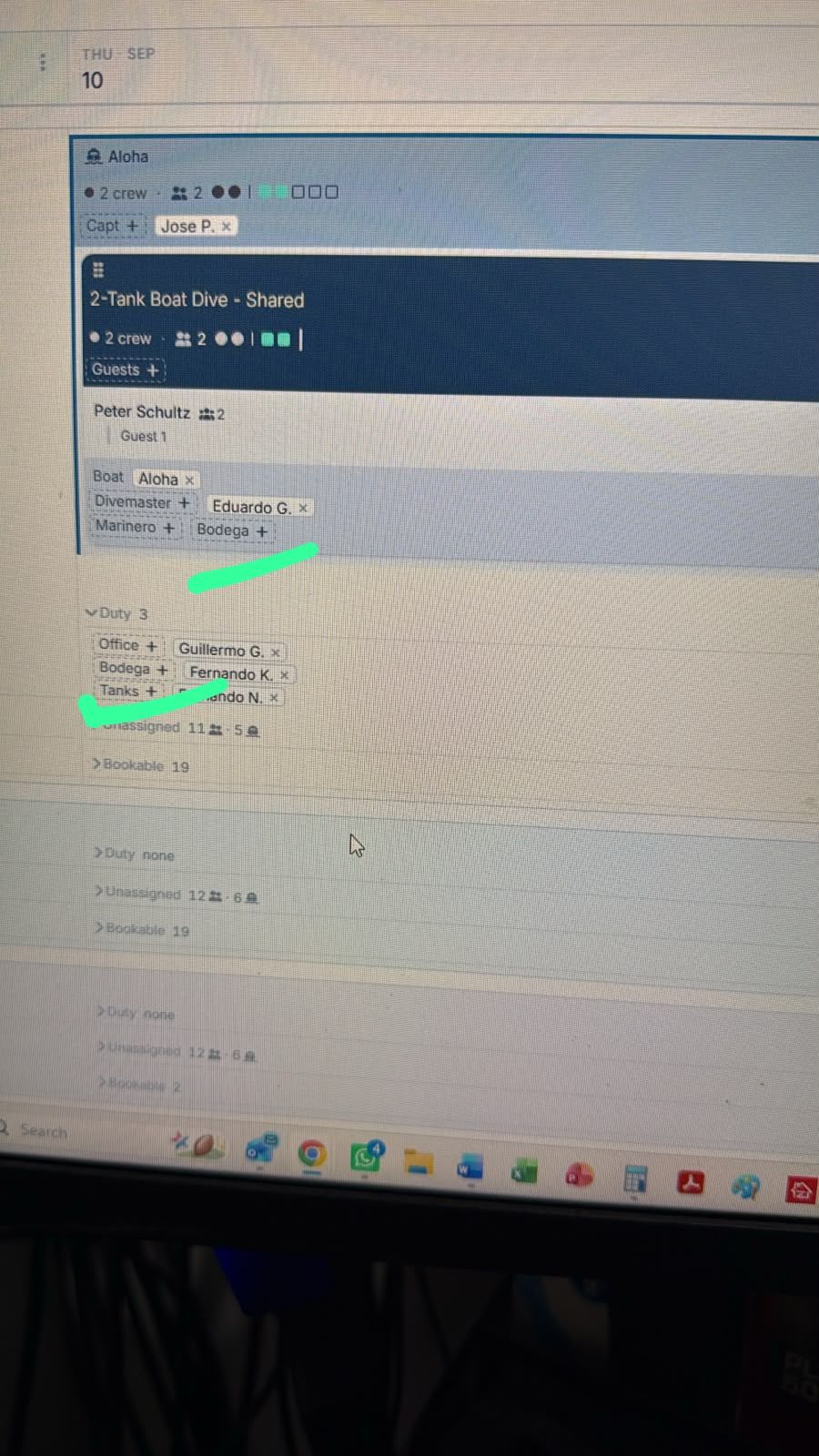
Also, on my calendar “Bodega” is listed twice. Once in the boat activity, then also below in the duty. In this case, I think “Bodega” should only be listed as a duty, correct? This is a non-diving position that never gets on the boats.
Log in to comment and vote
Comments4
David Aidekman
Sep 10
@Henry Schultz In the activity template for the “2-Tank Boat Dive - Shared” you can remove or turn off the roles that you don’t want. In your case, I suggest making sure that it is removed from every activity so that it just remains in the “Duty” section.
If you created a “Custom” role, you will see an Archive button next to it (screenshot below). You probably renamed the “Assistant” role to Marinero. We set built in functions for Captain, Guide, Instructor, and Assistant that couldn’t be deleted so that we could preserve staff functions. It isn’t viewed anywhere if you don’t add it to an activity. However, I’ll set it up so that can be archived too.
Henry Schultz
Sep 10
Perfect. Yeah Iknew I was missing it somewhere just couldnt locate it Thanks!
David Aidekman
Sep 10
@Henry Schultz You can also now archive the “Assistant” or “Marinero” role.
Henry Schultz
Sep 10
Thanks!